- Mobile Networks in Indonesia & Bali: What You Need to Know
- Why Not Just Use Roaming?
- Physical SIM Cards in Indonesia & Bali
- eSIMs in Indonesia & Bali
- Registration & IMEI Rules for Foreigners
- Physical SIM vs eSIM: Which Is Better for You?
- Where to Buy: Airport, In-Town, or Online?
- Practical Tips for Using SIMs & eSIMs in Indonesia
- A Great Value Option: balisim.com for eSIMs & Physical SIMs
Landing in Bali or elsewhere in Indonesia without mobile data can feel a bit like arriving without your luggage. You’ll want maps, ride-hailing apps, hotel confirmations, and a way to message friends or family the moment you step out of the airport.
The good news: Indonesia has excellent, affordable mobile networks, and travellers now have more choice than ever between traditional physical SIM cards and modern eSIMs. The tricky part is deciding which option is right for you and understanding how things like registration rules, coverage, and pricing actually work on the ground.
This guide walks you through:
- How mobile networks work in Indonesia and Bali
- The pros and cons of physical SIM cards vs eSIMs
- Where and how to buy each (airport, city kiosks, and online)
- Practical tips on registration, IMEI rules, and staying connected across multiple islands
- A recommended provider that offers both eSIM and physical SIM options
Mobile Networks in Indonesia & Bali: What You Need to Know
Indonesia is huge and spread across thousands of islands, but its mobile data coverage is surprisingly good, especially in tourist hotspots like Bali, Java, and Lombok.
The main operators you’ll see are:
- Telkomsel – Widest and most consistent coverage across Indonesia, including many rural and remote areas. Often the best choice if you’re travelling beyond Bali.
- XL Axiata (XL) – Very solid coverage in Bali and other popular destinations; often slightly cheaper than Telkomsel.
- Others – Indosat and smaller regional operators exist, but for visitors, Telkomsel and XL are usually the most straightforward and reliable.
If you’re sticking mostly to Canggu, Seminyak, Ubud, Uluwatu, and the main tourist areas in Bali, you’ll get good 4G (and increasingly 5G in some locations) with either Telkomsel or XL. If you’re planning to island-hop or explore more remote regions, Telkomsel is usually the safer bet.
Why Not Just Use Roaming?
You can roam with your home SIM, but in most cases it’s:
- Far more expensive than buying a local SIM/eSIM
- Limited in data (often a few gigabytes at high rates)
- Sometimes slower, as you’re using partner networks on roaming agreements
A local Indonesian SIM or eSIM gives you:
- Much cheaper data (often dozens of GB for less than the cost of a single day’s roaming at home)
- Better local speeds and coverage
- A local +62 phone number (depending on the plan), handy for ride-hailing apps like Gojek and Grab, food delivery, and local calls
For almost all travellers staying more than a couple of days, a local SIM or eSIM is the smarter, more budget-friendly choice.
Physical SIM Cards in Indonesia & Bali
A physical SIM card is the classic plastic card you insert into your phone. It’s still incredibly popular in Indonesia and easy to get as a visitor.
Where you can buy a physical SIM card
- At Bali’s Ngurah Rai (DPS) Airport
- You’ll see official-looking booths and kiosks right after arrivals.
- Pros: Very convenient, you walk out with data already working.
- Cons: This is often the most expensive place to buy a SIM, and packages can be upsold heavily.
- Mobile shops & convenience stores around Bali
- In tourist areas like Kuta, Seminyak, Canggu, and Ubud, many small shops sell Telkomsel or XL SIMs and top-ups.
- Prices are usually better than at the airport, but can still involve a bit of haggling or unclear package descriptions.
- Order online with delivery to your hotel/villa
- Some providers let you pre-order a physical SIM and have it delivered to your accommodation in Bali, often free of charge. This can save you time and reduce airport stress.
Pros of a physical SIM
- Works with older phones that don’t support eSIM
- Easy to understand: you physically swap your SIM and that’s it
- Usually includes local calls and SMS, plus data
- Ideal if you plan to stay in one country for your entire trip
Cons of a physical SIM
- You must physically swap out your home SIM, which you could misplace
- You typically need to queue at the airport or find a shop
- Registration can take a bit of time
- For dual-SIM travellers (e.g., business + personal), you may run out of slots
If your phone doesn’t support eSIM or you prefer something tangible, a prepaid physical SIM from Telkomsel or XL is a solid choice.
eSIMs in Indonesia & Bali
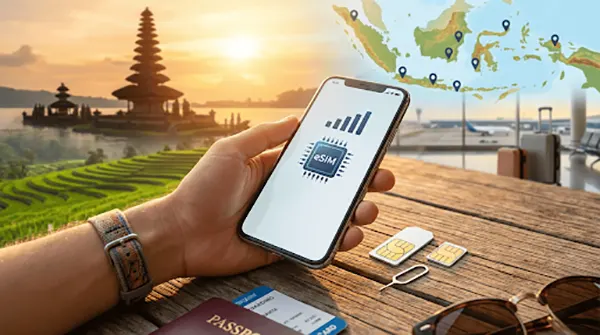
An eSIM is a digital SIM profile you download to your phone—no physical card involved. Many mid- to high-end phones from recent years (iPhone, Samsung, Google Pixel, etc.) support eSIMs.
How an eSIM works
- You buy an eSIM plan online from a provider
- They email you a QR code or activation link
- You scan it on your phone and the eSIM profile installs
- When you land in Indonesia, you simply toggle it on, and your data kicks in
Some eSIMs are data-only, while others also give you a local +62 number for calls, SMS, and app verification.
Pros of an eSIM in Bali
- No queueing at the airport – you can be online as soon as the plane lands
- You keep your home SIM active (for banking SMS and calls), while using local data on the eSIM
- Perfect for dual-SIM setups: one line for your home number, one for Indonesian data
- Great for multi-country trips if you’re travelling around Southeast Asia and want to switch between regional eSIMs
Cons of an eSIM
- Your phone must support eSIM and be unlocked
- Installation requires you to follow instructions carefully (QR code, registration, APN settings if needed)
- Some cheaper global eSIMs don’t include a local phone number, which can be limiting for Gojek/Grab or certain apps
For most modern smartphones and especially if you like to be organised, an eSIM is the most convenient way to get data in Indonesia.
Registration & IMEI Rules for Foreigners
Indonesia has tightened its telecom regulations in recent years. As a foreign visitor, there are two main things to be aware of:
- SIM registration
- You’ll usually need to provide your passport details when you buy a SIM or eSIM.
- Reputable providers handle this for you via an online form or in-store registration.
- IMEI registration (for longer stays / expensive devices)
- Indonesia requires foreign phones staying longer than a certain period and above a tax threshold to have their IMEI registered with customs.
- Many short-term tourists don’t need to worry, especially if they’re staying under 90 days and bought their phone at home. But if you’re a digital nomad or long-stay visitor, read up on the latest rules and ask your SIM/eSIM provider for guidance.
Buying through a trusted local provider that caters specifically to travellers can make this process much smoother—they usually provide clear step-by-step instructions and checklists.
Physical SIM vs eSIM: Which Is Better for You?
The right choice depends on your device, travel style, and how long you’ll stay. Here’s a quick comparison:
Choose a physical SIM if:
- Your phone doesn’t support eSIM
- You prefer a simple, “just plug it in” solution
- You’re staying mainly in Bali and don’t mind getting set up after you arrive
- You want a local number plus calls/SMS and don’t care about keeping your home SIM active in your phone
Choose an eSIM if:
- Your phone supports eSIM and is unlocked
- You want to land connected with no airport hassle
- You’re juggling work and travel, and need to keep your home number usable
- You might travel to other Indonesian islands and want strong, nationwide coverage (e.g. Telkomsel-powered eSIMs)
- You prefer to configure everything from home before you fly
A common strategy is:
- Primary plan: Indonesian eSIM for data and local number
- Backup: Your physical home SIM still in the phone for banking codes and emergency calls
Where to Buy: Airport, In-Town, or Online?
You effectively have three channels:
1. At the airport (on arrival)
- Good for last-minute planners
- More expensive and occasionally confusing, with multiple offers and upselling
- You’ll need to wait in line after a long flight
2. From shops in Bali
- Useful if you want to shop around a little on price or specific providers
- Requires you to find a store and communicate your needs—fine for experienced travellers, less ideal if you arrive late at night
3. Online before you fly
- Best for travellers who want zero hassle on arrival
- Lets you read reviews, compare plans and coverage, and handle registration in advance
- Many providers offer both eSIMs and physical SIMs with free hotel/villa delivery once you arrive in Bali
If you like to have your logistics sorted before you board the plane, buying online in advance is often the most relaxed and cost-effective option.
How Much Data Do You Actually Need in Bali?
Your ideal package depends on how you travel and how often you use Wi‑Fi.
As a rough guide:
- Light user (5–7 days)
- Mostly using hotel Wi‑Fi, occasional maps & WhatsApp outside
- 5–10 GB is usually plenty
- Average holiday (10–14 days)
- Daily navigation, Instagram, restaurant searches, a few ride-hailing trips per day
- 15–25 GB is a comfortable range
- Heavy user / remote worker (2+ weeks)
- Hotspotting a laptop, streaming music, lots of social media, frequent video calls
- 30+ GB or an “unlimited” style package is worth considering
Remember that many Bali cafés, co-working spaces, and hotels have decent Wi‑Fi, but you’ll still want reliable mobile data for Gojek/Grab, maps, translation, and emergencies.
Practical Tips for Using SIMs & eSIMs in Indonesia
To avoid headaches, keep these tips in mind:
- Check if your phone is unlocked before you fly. If it’s locked to your home carrier, local SIMs/eSIMs may not work.
- Bring a SIM ejector tool or a small paperclip if you plan to use a physical SIM.
- Enable data roaming on the eSIM profile only, not your home SIM, to avoid surprise roaming charges.
- Save your home SIM in a safe place (e.g., taped into your passport wallet) if you remove it.
- Use WhatsApp for most messaging and calls—Indonesia is very WhatsApp-centric, and your eSIM/local number will work fine with it.
- Confirm that your chosen plan includes tethering/hotspot if you intend to share data with a laptop or other devices.
- Keep a copy (screenshot/email) of your eSIM QR code and instructions in case you need to reinstall it.
A Great Value Option: balisim.com for eSIMs & Physical SIMs
If you’re looking for a provider that makes the whole process as easy as possible, balisim.com is one of the best-value choices for travellers to Indonesia and Bali. They’re an authorized Telkomsel outlet and offer both eSIMs and physical SIM cards powered by leading networks like Telkomsel and XL, with options tailored for Bali-only trips or nationwide Indonesian travel. You can buy an eSIM online, receive your QR code by email, and land with data already ready to go, or pre-order a physical SIM with free delivery to your hotel or villa in Bali. Plans are competitively priced, include the option of a local +62 phone number for apps like Gojek and Grab, and are backed by responsive customer support and a straightforward refund guarantee. For travellers who want reliable connectivity without overpaying or dealing with airport chaos, balisim.com is a very strong pick.