All those who have ever gone on a trip might get this: every great trip begins with strong planning. Being super excited about the trip, without having any clue about the place, itinerary, hotels, and more, will eventually make you feel exhausted and devastated.
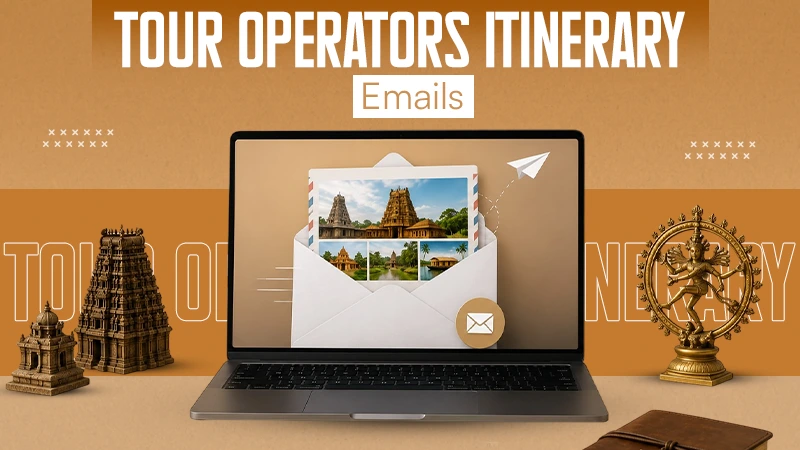
Resolving this, heritage tour operators from South India made this simple. They share an easy-to-read and mobile-friendly PDF that allows guests to stay informed about everything.
Read more to learn how heritage tour operators use email itineraries to actually make the trip easier for the tourists.
Key Takeaways
- A clear itinerary email allows guests to check their travel information, staying details and more.
- Mobile-friendly layouts ensure that the important information is easy to access even while traveling.
- Simple design and easy-to-use templates work better than other image heavy emails for travelers.
The Problems With Sending Heritage Itineraries as Plain Emails
A heritage itinerary may look simple until one change throws the whole plan out of line. A late train can concern the driver in Madurai, the guide at Meenakshi Temple, lunch, and hotel check-in. When these elements sit in one long email, guests must search for the right time, name, or phone number. A PDF isn’t typically better. It may be difficult to read on a small screen, and older copies often still sit in a guest’s inbox after an update.
Attachments also add extra steps. Gmail limits personal-account attachments to 25 MB, so image-heavy plans may be substitutedv by Drive links. An email builder avoids much of this confusion by identifying hotels, transfers, site visits, meal stops, and contacts in unique, clear blocks. Operators can update one section without fixing the whole message.
The aim isn’t to sell the tour again. A useful travel guide answers practical questions fast. With an email builder, guests can get one readable plan and feel confident before arrival.
What Every Heritage Tour Itinerary Email Should Include
There shouldn’t be more than one pick-up time in a guest’s conversation. Make each section easy to scan:
- A Summary of a short trip: Provide dates, arrival and exit cities, main regions, and number of nights. For instance: Chennai to Madurai – 7 Nights.
- A day-by-day route: Include a time, a road/rail stop, planned visits, meals, and hotel stop for each. This benefits guests in making an informed assessment as to how busy each day will be.
- Transport and pick up information: Include the driver’s full name, phone number, vehicle type, train/flight information and reliable meeting location.
Also, explore easy preparation tips for everlasting enjoyment on a road trip.
A Simple Workflow for Creating and Sending the Email
The first step of a good itinerary email is a clear process. If not, minor mistakes have a chance of getting through: an outdated hotel address, the wrong time for the pick-up, or another train number typed in.
- Create layout for an itinerary that can be reused: Set up fixed divisions for: Welcome note, Daily route, Hotels, Transport, Contacts, Travel tips. A shared email template maker mass-produces the form of the emails for all tours.
- Add guest-specific information: Add names, date, rooms, food, private tours, and optional visits. Examine this information with the official booking file.
- Please be aware of the hazards of using images: Only use practical images – a hotel entrance, for instance, or a meeting place. Large images may cause the e-mail to glitch on poor cell phone networks.
Using Stripo.email to Build Clear Itinerary Emails
Tour operators don’t need to send a new message each time a guest books a route through Tamil Nadu, Kerala, or Karnataka. With stripo.email, they can use a free email builder to position daily plans, hotel details, cultural notes, maps, contact blocks, and booking buttons in a neat order. The layout stays organized, even when the trip covers multiple cities.
Reusable modules yield more time. A team can store routine blocks for airport pickups, driver contacts, hotel check-ins, temple dress rules, and emergency help, then attach them to later itineraries without copying old emails. Stripo also allows users preview desktop and mobile versions, modify mobile display settings, and submit finished emails to more than 80 email service platforms.
Still, the email builder shouldn’t turn an outline into a loud newsletter. Use brand colours with care, choose simple fonts, make enough space between sections, and add only a few practical images. The guest needs quick answers, not extra decoration.
Make the Itinerary Easy to Use on the Road
A heritage itinerary defines its value when a guest can use it efficiently, not when it simply looks attractive. On the road, travellers need clear answers: Where are we going next? What time does the driver turn up? Which guide should we call? Is there a particular clothing rule for the temple visit? These answers should be easy to find without opening several files or digging through a long message.
Clarity matters more than extra visuals. Large banners, too many colours, and decorative images may look inviting on a laptop, yet they can slow the process and hide the information guests need most. Keep the layout clean, the text short, and the contact details clear.
Also, check out slow travel in 2026: the new travel luxury.
Conclusion
At the end of the day, an easy-to-understand email with the trip details can simplify the trip while maintaining the same excitement pace one had when they started it. When visitors can get the pickup on time and reach the hotel easily, they waste less time and enjoy more.
This way, simply choosing a well-thought-out email template can help tour operators to deliver better experiences on every booking. Because clarity is what makes the trip smooth and enjoyable.
Why choose email over PDF?
Because an email is easy to read on a phone, simple to make changes, and helps guests to access crucial details without any downloading.
What crucial information should an email contain?
The email should have travel dates, hotel details, driver contacts, transport details, and more.
Why is a mobile-friendly itinerary important?
Because most of the guests check the details while traveling. A mobile-friendly layout makes this possible.